
Pros and Cons of Browser-Side Processing
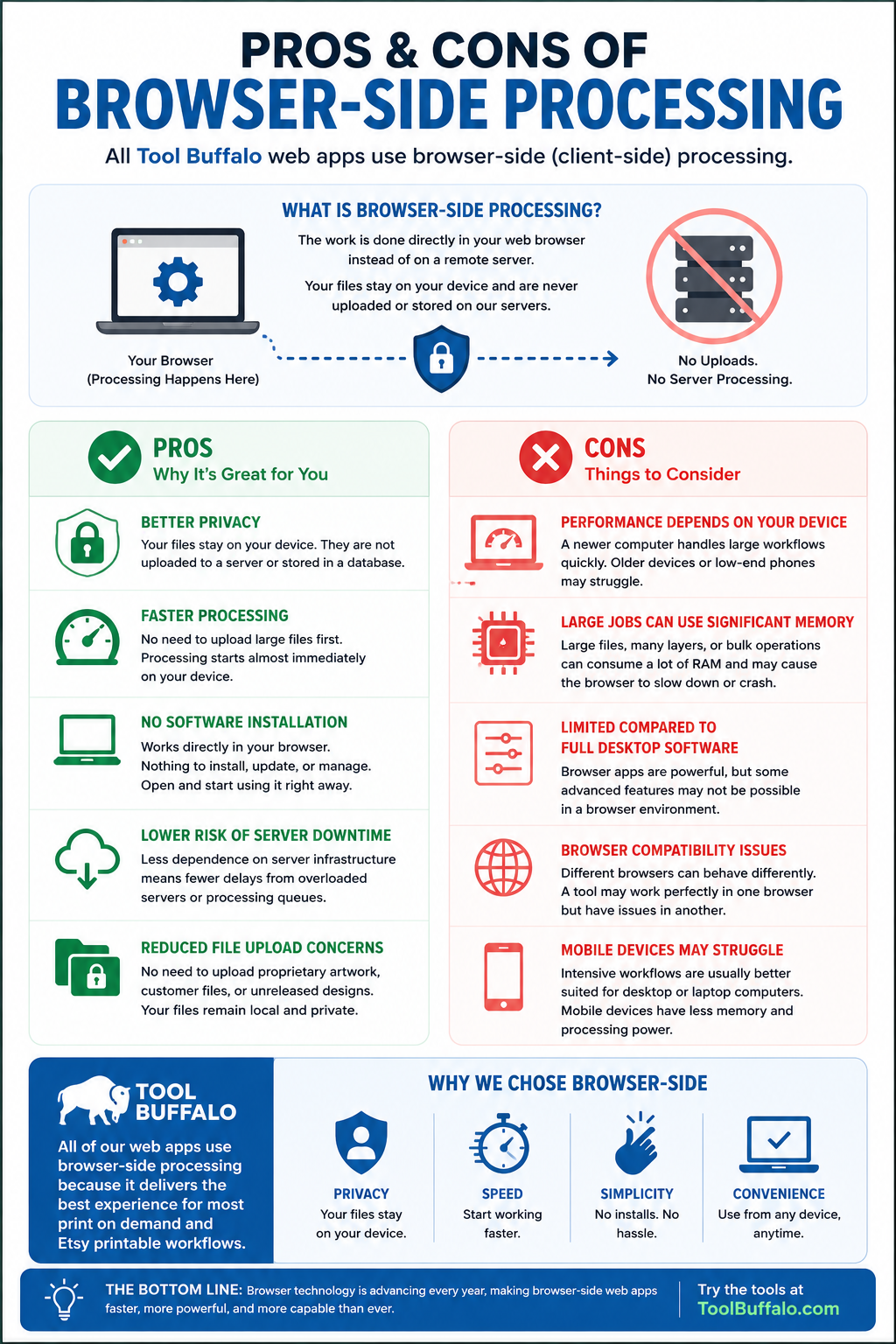
If you've used tools on Tool Buffalo, you may have noticed that all of our web apps use browser-side processing.
Browser-side processing is also commonly called client-side processing.
In simple terms, it means the work is done directly in your web browser instead of on a remote server.
For example, if you upload an image into one of our tools, the processing happens on your device instead of the file being sent to a server for processing.
This approach has some major advantages for users, but there are also a few downsides worth understanding.
Pros of Browser-Side Processing
Better Privacy
One of the biggest benefits is privacy.
With browser-side processing, your files stay on your device. They are not uploaded to a remote server or stored in a database.
For users working with product designs, mockups, printable files, or business assets, this can be a major advantage.
At Tool Buffalo, this is one of the main reasons we chose this approach.
Faster Processing
Browser-side tools can often feel faster because there's no need to upload large files before processing begins.
This is especially helpful when working with:
- Large PNG files
- High-resolution mockups
- Bulk image workflows
- Print-ready graphics
The processing starts almost immediately on your device.
No Software Installation
Browser-side apps work directly in your browser.
There's nothing to install, update, or manage.
You can usually open the tool and start using it right away.
This also makes the tools more flexible across different devices and operating systems.
Lower Risk of Server Downtime
Since the heavy processing is happening on your device instead of a central server, there's less dependence on server infrastructure.
That can help reduce issues related to overloaded servers or processing queues.
Reduced File Upload Concerns
Many users are uncomfortable uploading proprietary artwork, customer files, or unreleased designs to third-party servers.
Browser-side processing helps avoid that concern because the files remain local.
Cons of Browser-Side Processing
Performance Depends on Your Device
One downside is that processing power depends on the user's computer or device.
A newer desktop computer may handle large workflows very quickly, while an older laptop or mobile device may struggle with intensive tasks.
Large Jobs Can Use Significant Memory
Some browser-based tools can consume a lot of RAM, especially when working with:
- Large image files
- Many layers
- Bulk operations
- High-resolution exports
In some cases, the browser may slow down or even crash if the workload is too large for the device.
Limited Compared to Full Desktop Software
Modern browser apps are powerful, but there are still limits compared to full desktop applications.
Certain advanced features may not be practical or possible in a browser environment.
For many workflows, though, the convenience tradeoff is worth it.
Browser Compatibility Issues
Different browsers can sometimes behave differently.
A tool may work perfectly in one browser but have issues in another due to differences in browser technology or settings. We suggest using a Chrome browser for best results.
Mobile Devices May Struggle
Although browser-side tools can work on mobile devices, intensive workflows are usually better suited for desktop or laptop computers.
Phones and tablets often have less memory and processing power available.
Why Tool Buffalo Uses Browser-Side Processing
At Tool Buffalo, all of our web apps use browser-side processing.
We chose this approach because it offers a combination of:
- Privacy
- Speed
- Simplicity
- Convenience
For many print on demand and Etsy printable workflows, browser-side tools are a great fit.
You can open the tool, use it immediately, and keep your files on your own device without needing to install software or upload sensitive assets to a server.
As browser technology continues to improve, browser-side web apps are becoming more capable every year.